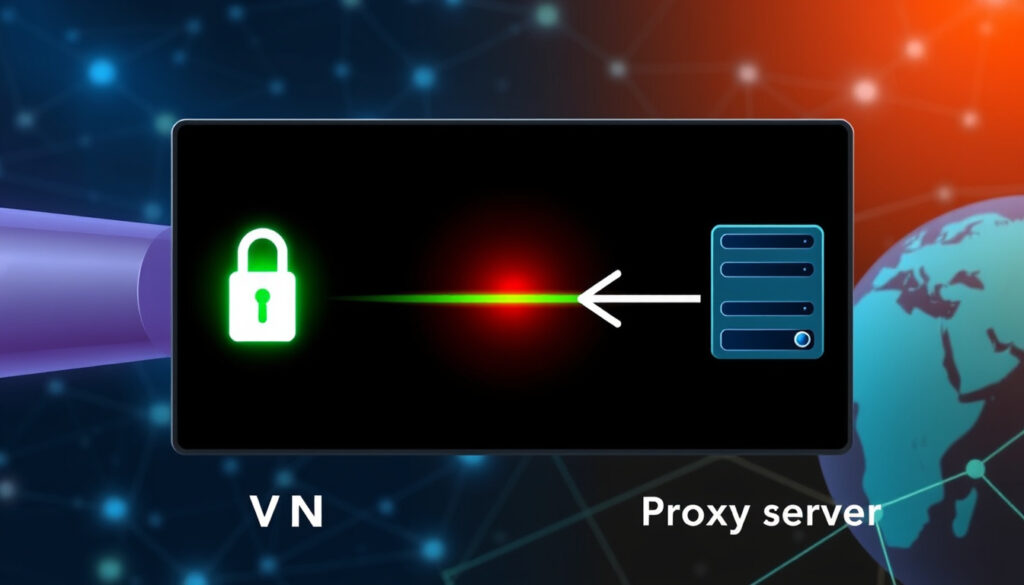
VPN vs. Proxy: What’s the Difference
Imagine you want to watch a show only available in another country, or you just don’t want your internet provider snooping on your browsing—you’ve likely heard about both proxies and VPNs as solutions, but they’re not interchangeable. A VPN encrypts all traffic from your device, while a proxy typically only reroutes traffic from a single app without encryption, according to NordVPN (privacy and security provider), and this guide breaks down the real differences so you can pick the right tool for your situation.
Proxy encryption: None (unless HTTPS) ·
VPN encryption: AES-256 by default ·
Proxy scope: Application-level (e.g., browser) ·
VPN scope: Device-level (all traffic)
Quick snapshot
- VPNs encrypt all device traffic; proxies do not. (NordVPN)
- VPNs operate at the device level; proxies at the application level. (Kaspersky (cybersecurity firm))
- Both tools hide your IP address. (Norton (consumer security brand))
- The legality of proxy use depends on jurisdiction and purpose (e.g., copyright bypass). (Kaspersky)
- The exact degree of anonymity depends on logging policies and configuration. (NordVPN)
- No‑log VPN policies are self‑claimed and have been challenged in court – trust varies by provider. (Surfshark)
- The reliability of proxy services for streaming varies depending on the platform’s detection capabilities. (NordLayer)
- Scope: device (VPN) vs. app (proxy). (Surfshark (VPN provider))
- Security: encrypted (VPN) vs. plaintext (proxy). (NordLayer (business VPN service))
- Speed: proxy faster, VPN slower due to encryption. (GeeksforGeeks (tech education platform))
- Use a VPN for comprehensive privacy; use a proxy for quick IP changes. (NordVPN)
- VPNs are ideal for remote work and sensitive data; proxies for lightweight tasks. (NordLayer)
Five factors that separate a VPN from a proxy, one pattern: each factor highlights a trade-off between security and convenience.
| Factor | VPN | Proxy |
|---|---|---|
| Encryption | Yes (AES-256) (NordVPN) | No (unless HTTPS) (Norton) |
| Scope | Entire device (Kaspersky) | Single application (Kaspersky) |
| IP hiding | Both hide your IP from the target server (NordVPN) | Same |
| Logging | Reputable providers have no-log policies (Surfshark) | Many free proxies log data (Surfshark) |
| Speed impact | Moderate due to encryption overhead (NordLayer) | Minimal (GeeksforGeeks) |
| Cost | Usually paid subscription (Norton) | Often free, paid options more reliable (Norton) |
Is it better to use proxy or VPN?
If your priority is security, a VPN wins. If you just need to change your IP for a single site and speed matters, a proxy can do the job — but you accept zero encryption.
When to choose a proxy over a VPN
- You only need to change the IP address for one browser tab or app. NordVPN calls a proxy a “browser-level routing tool.”
- You’re doing non-sensitive tasks like web scraping or bypassing geo-blocks on a streaming site. GeeksforGeeks notes proxies are faster because they skip encryption.
- You’re on a tight budget and willing to risk logging. Free or cheap proxies are widely available.
When a VPN is the better option
- You handle sensitive data — banking, work documents, private messages. Norton (consumer security brand) states VPNs protect data from hackers and surveillance by encrypting all traffic.
- You want to hide your browsing activity from your ISP. Kaspersky (cybersecurity firm) explains that with a VPN “an ISP cannot see the contents of traffic.”
- You frequently use public Wi-Fi — a VPN covers all apps, not just your browser.
Performance and security trade-offs
Proxies are generally faster because they don’t encrypt data. NordLayer (business VPN service) says “proxies may be faster because of lower overhead, but high-performance VPNs can match proxy speeds.” The real cost is security: without encryption, your data travels in plaintext. A NordVPN blog sums it up: “A proxy is a browser-level routing tool. A VPN is a device-level security and privacy tool.”
The implication: choose a proxy only when you fully control what data passes through it and accept that anyone on your network can intercept it.
What is an example of a proxy?
Common proxy types: HTTP, HTTPS, SOCKS5, transparent
- HTTP proxy forwards web requests; it works only for web traffic. Kaspersky notes proxies “strictly act as a gateway between the internet and users.”
- HTTPS proxy adds encryption between you and the proxy, but the proxy still sees plaintext traffic on the other side. (Surfshark)
- SOCKS5 proxy handles any traffic (email, torrents, etc.) but still no encryption. Surfshark (VPN provider) calls it “application-level routing without security.”
- Transparent proxy sits between you and the web without your knowledge — often used for content filtering in schools or companies.
Real-world use cases
Proxies are commonly used for web scraping, where speed and IP rotation matter more than encryption. They also power content filtering (a company blocks social media via a proxy) and bypassing regional restrictions (watching BBC iPlayer from the US by using a UK proxy). NordLayer notes that proxies are “better suited to content filtering and localized web research.” For example, if you want to play games that are blocked at school, you might use a proxy, but a more reliable method is covered in our guide on Rocket League Unblocked: Play Anywhere at School or Work.
How a VPN differs from a proxy in examples
If you use a proxy in your browser settings to watch a region-locked video, only your browser traffic goes through the proxy — your email, messaging apps, and system updates still expose your real IP. With a VPN, every app on your device routes through the encrypted tunnel. Kaspersky puts it clearly: “A VPN works at the operating system level and reroutes all traffic, including from apps, while a proxy works at the application level.”
How do I know if my phone is using a VPN or proxy?
Check network settings on Android and iOS
- iPhone/iPad: Go to Settings > General > VPN & Device Management. If a VPN profile is installed, you see it listed. Proxy settings are usually under the Wi‑Fi network details (tap the ⓘ icon).
- Android: Settings > Network & Internet > VPN – any active VPN appears here. Proxy configuration is inside the Wi‑Fi network settings (long‑press the network > Modify network > Advanced options).
Signs that a VPN is active
Look for a VPN icon in the status bar (both iOS and Android show a small key icon for many VPN apps). Your apparent IP address will differ from your real one — check with a site like whatismyip.com. If your traffic is encrypted, you won’t see any proxy address in your browser settings.
How to detect a proxy on your network
Proxies are often set per app or browser. In your browser, go to connection settings: Chrome (Settings > Privacy and security > Security > Use secure DNS), Firefox (Settings > Network Settings), or Safari (System Preferences > Network > Advanced > Proxies). If a proxy address is listed, you’re routing through one. Online tools can also show your apparent IP and whether a proxy header is detected.
Why this matters: if your company or school uses a transparent proxy, your traffic can be logged and filtered without your consent. A personal VPN can bypass that.
Many “free VPN” apps are actually proxies in disguise — they claim encryption but only reroute browser traffic. Always verify the provider’s logging policy and encryption claims using independent reviews.
The pattern: verifying your connection type helps you understand your actual privacy posture.
Is a proxy server illegal?
Legal uses of proxy servers
Proxy servers are perfectly legal for legitimate purposes: content caching, load balancing, and bypassing censorship in authorized contexts, such as playing casual games like solitaire from our list of Free Solitaire Online: 5 Best Sites to Play Without Download. Kaspersky (cybersecurity firm) confirms proxies “can be used to bypass content restrictions and monitoring by masking IP addresses.”
When proxy use becomes illegal
Using a proxy to commit fraud, hack into systems, distribute pirated content, or evade law enforcement is illegal in most countries. The tool itself is not the crime — the action is. Norton (consumer security brand) emphasizes that “illegal activities through a proxy remain illegal regardless of the tool used.”
Law enforcement and VPN tracking
Can the police track a VPN? Yes, if the VPN provider keeps logs or cooperates with authorities. Reputable no‑log VPNs claim they have nothing to hand over, but forced logging and court orders have compromised some services. Proxies, which often log traffic, are even easier to trace. NordLayer (business VPN service) says “VPNs typically offer more stable connections than proxies, which may experience frequent drops,” but neither guarantees absolute immunity from investigation.
What this means: if your activity is illegal, a proxy or VPN won’t protect you from a determined investigator with legal authority. Use both tools only for lawful privacy.
What are the disadvantages of a proxy?
Lack of encryption and security risks
Proxies do not encrypt traffic by default, leaving data exposed to anyone on the same network. Norton (consumer security brand) calls proxies “helpful for quick IP changes” but warns they are not designed for security. Free proxy servers often inject ads or infect users with malware.
Limited scope (only one application at a time)
Proxies apply only to the app or browser they’re configured for. If you set a proxy in Chrome, your email client and system updates still connect directly, exposing your real IP. NordVPN (privacy and security provider) states that “proxies usually route only browser traffic without encryption, while VPNs encrypt all internet traffic.”
Potential for invasive logging and malvertising
Many free proxies log your browsing data and sell it to advertisers, and some inject malicious scripts into web pages. Surfshark (VPN provider) recommends a proxy “only for basic IP masking for non‑sensitive activities.” Paid proxy services are more reliable but still lack the encryption layer that VPNs provide.
Upsides
- Faster than VPNs for simple tasks
- Cheap or free
- Good for IP masking in a single browser
- Widely supported by apps and browsers
Downsides
- No encryption – data can be intercepted
- Applies only to configured app
- Many free proxies log and sell user data
- Cannot protect all device traffic
The trade-off: proxies are fine for trivial tasks, but they fail the moment you need real privacy. VPNs address every one of these disadvantages.
How to choose between a VPN and a proxy (step by step)
- Identify your primary need: Are you trying to secure all your traffic, or only change your IP for one website? VPN = security; proxy = quick IP change.
- Check scope: If you need protection for multiple apps (email, banking, messaging), choose a VPN. A proxy covers only the application you configure.
- Evaluate encryption requirements: For sensitive data — login credentials, credit cards — you must use a VPN with strong encryption (AES‑256). Proxies offer none.
- Compare cost and reliability: Reputable VPNs cost $5–$15/month but include no‑log policies. Free proxies often come with logging and malware risks. Norton notes that “paid proxy options are often more reliable” but still lack encryption.
- Test with a free trial: Most VPNs offer 7–30 day trials. Use them to gauge speed impact and compatibility before committing.
The pattern: if you can’t decide, start with a reputable VPN. You can always use a proxy later for specialized tasks.
Confirmed vs. unclear: what the evidence says
Confirmed facts
- VPNs encrypt traffic; proxies do not (NordVPN)
- VPNs operate at the device level; proxies at the app level (Kaspersky)
- Both tools can hide your IP address (Norton)
- Proxies are generally faster because they skip encryption (GeeksforGeeks)
What’s unclear
- Whether proxy use is legal depends on jurisdiction and specific use (Kaspersky)
- The exact degree of anonymity depends on provider logging policies (NordVPN)
- No‑log VPN policies are self‑claimed and have been challenged in court – trust varies by provider (Surfshark)
- The reliability of proxy services for streaming varies depending on the platform’s detection capabilities (NordLayer)
“VPNs encrypt any data you send or receive, whereas a proxy doesn’t.”
— Kaspersky (cybersecurity firm)
“A proxy is a browser-level routing tool. A VPN is a device-level security and privacy tool.”
— NordVPN (privacy and security provider)
“Proxies strictly act as a gateway between the internet and users. VPN traffic runs through an encrypted tunnel.”
For a casual user browsing at home, a VPN is the safer baseline. For someone who only needs to bypass a geo‑block on a single video, a proxy gets the job done faster — provided they understand the security trade‑off. For the privacy‑conscious user, neither tool is a silver bullet: proxies lack encryption, and VPNs rely on trust in the provider’s no‑log claims. The concrete consequence for anyone reading this: if you shop, bank, or communicate privately online, a VPN is the minimum. A proxy alone leaves your data exposed.
For a detailed breakdown of when to choose each tool, refer to this proxy vs VPN comparison for practical use cases.
Frequently asked questions
Can I use a VPN and proxy together?
Yes, but it’s uncommon and adds complexity. You can route your VPN through a proxy (or vice versa), but the additional hop can slow speeds and introduce compatibility issues. Most users benefit from choosing one.
Does a VPN hide my IP?
Yes – a VPN replaces your real IP with the VPN server’s IP. Your ISP and target websites see the VPN server’s address, not yours.
Is a proxy faster than a VPN?
Generally yes, because proxies skip encryption and decryption. However, high‑performance VPNs can close the gap. NordLayer notes that modern VPNs can match proxy speeds in many scenarios.
Which is better for streaming Netflix?
A VPN is usually better because it encrypts all traffic and works with many streaming services. Some proxies may work for region‑bypassing, but Netflix often blocks known proxy IPs.
How do I set up a proxy on my computer?
On Windows: Settings > Network & Internet > Proxy. On macOS: System Preferences > Network > Advanced > Proxies. Enter the proxy address and port provided by your service. For browsers, you can often set a proxy directly in connection settings.
Are free proxies safe?
Most are not – they log your activity, inject ads, or contain malware. If you need a proxy for sensitive work, use a reputable paid proxy service or a VPN instead.
Can the police track a VPN?
If the VPN provider keeps logs or is compelled by court order, yes. No‑log VPNs claim they have no data to share, but law enforcement can sometimes trace activity through other means (e.g., payment info, metadata).
More related posts
 Statue of David – Location History Dimensions Florence
 RACV Car Insurance: Online Quotes, Claims & Renewals
 Lalisa Manoban: Ethnicity, Net Worth, Height, Age, and More
 The Chestnut Man – Ending Explained Plot Cast Guide
 Adam Devine: Biography, Accident, and Career
 Madeline Argy TikTok Star: Age, Height, Ex-Boyfriend, Net Worth
 Joe Jackson: Father, Manager, Cause of Death & Net Worth
 The Last of Us TV Show: Season 2, Joel’s Death & Future
